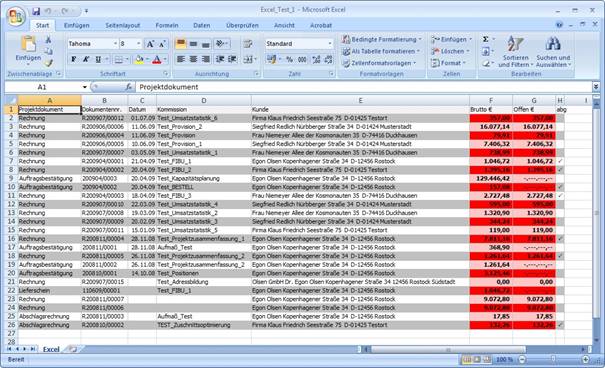
The excel export is a new function to transfer a complete list view of the modules Workflow, Items, Contacts, Project time recording and receipt entry to an excel document. To do so, just click on the button  .
.
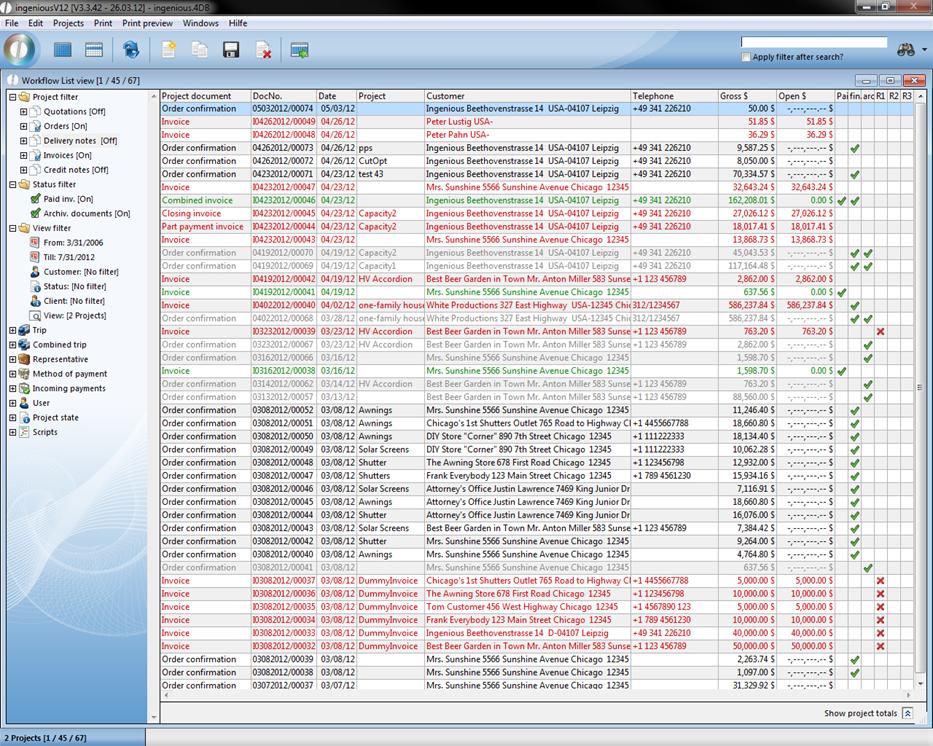
Example list view
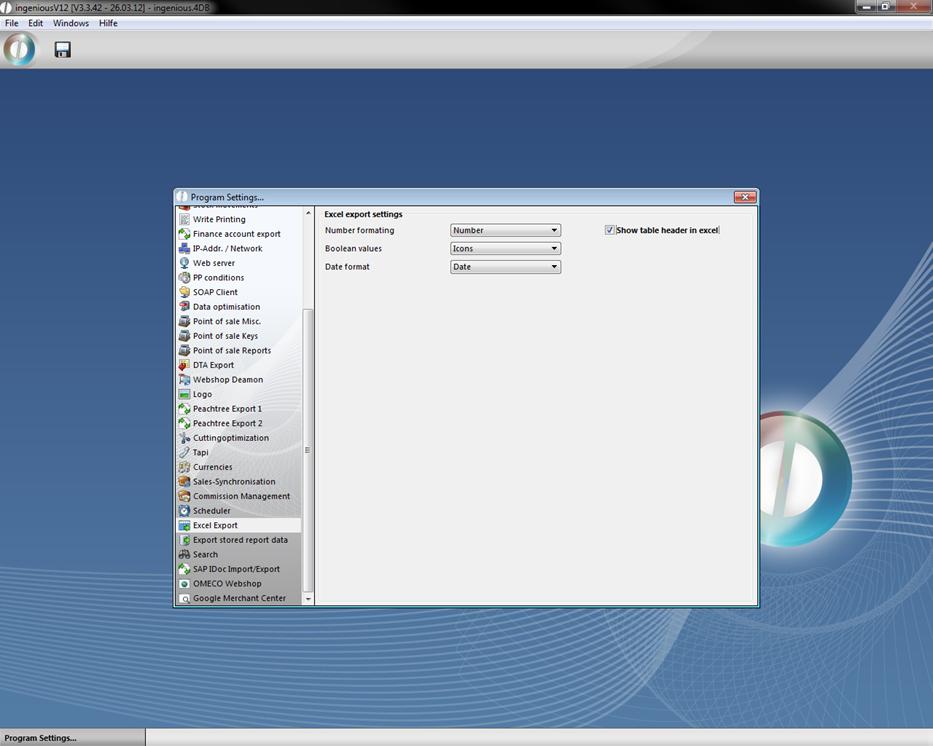
In the program settings in the category “Excel export” you can define how the data should be exported to excel. When you check the field “Show table header in excel”, the column names like document number, commission, etc. will be exported too. Additionally you can define the output format of numbers, Boolean values and dates.
- Number formatting: Number or text
- Boolean values: Icons, TRUE/FALSE or 0/1
- Date format: Date or text
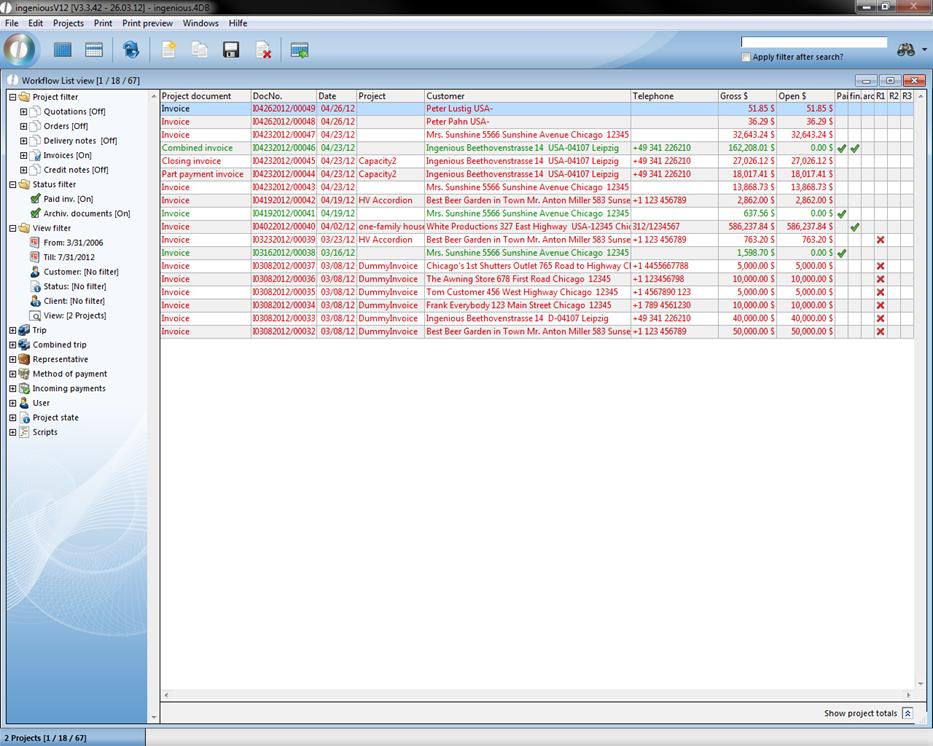
In addition to the default list views you can also export customized ones. In the following example a individual list was exported.
When you click on the excel export button  , the default print dialog of ingenious.V12 will open up, where you can select the number of records that you want to be printed.
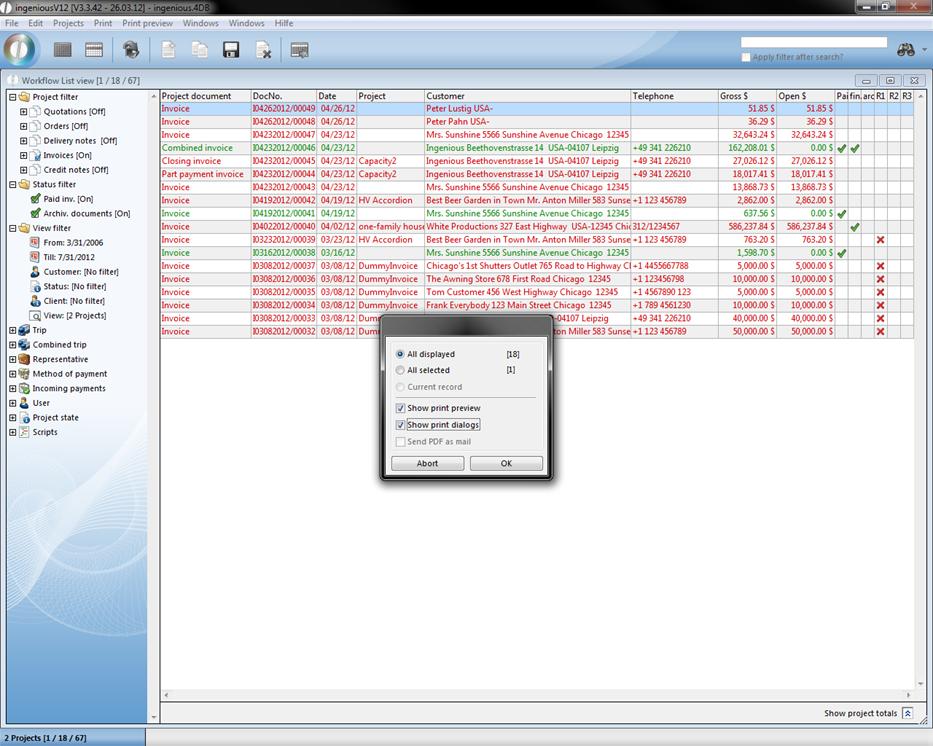
After confirming the print window the default save dialog of windows will open up.
When you save the file, excel will open up.